


Create Your Sims Life on Mobile
Overview
The Sims FreePlay brings the beloved life simulation experience to mobile devices, offering players a portable way to manage virtual lives, design homes, and grow communities. Designed for fans of the franchise and newcomers alike, the game allows users to create unique Sims, guide their life journeys from infancy to old age, and shape their environments through customizable interiors and buildings. The core purpose is to deliver a real-time, interactive simulation where decisions impact character development, relationships, and community growth.
This mobile adaptation supports both iOS and Android platforms, enabling convenient gameplay across devices. Players can build and expand their towns, construct various establishments like pet stores or shopping malls, and employ their Sims to generate income. The game also emphasizes social interaction, allowing users to connect with friends via Game Center or by nickname.
While the visual style reflects earlier entries in the franchise rather than the more modern mobile version, The Sims FreePlay maintains a strong focus on customization and long-term progression. The developer did not provide additional details about the company background or specific development goals. Real-world usage scenarios include casual play during commutes, evening sessions, or as a social activity with friends.
The game is ideal for those who enjoy creative control, storytelling, and community-based simulation experiences.
Key Features & Capabilities
- Character Creation: Design up to 34 Sims with customizable appearances, personalities, and interests, allowing for diverse virtual identities.
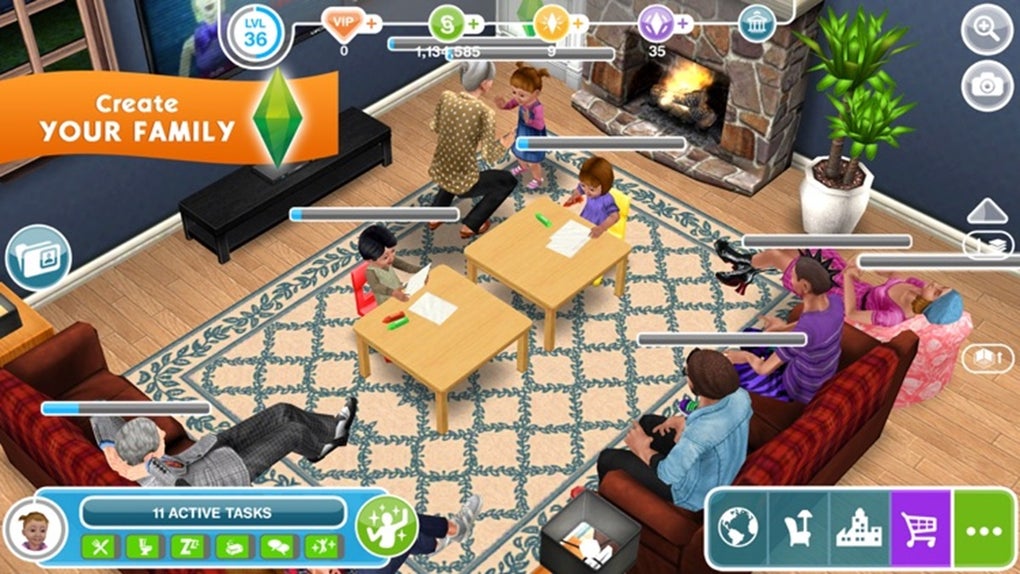
- Real-Time Life Simulation: Guide Sims through all life stages—from babies to seniors—with evolving relationships, careers, and personal goals.
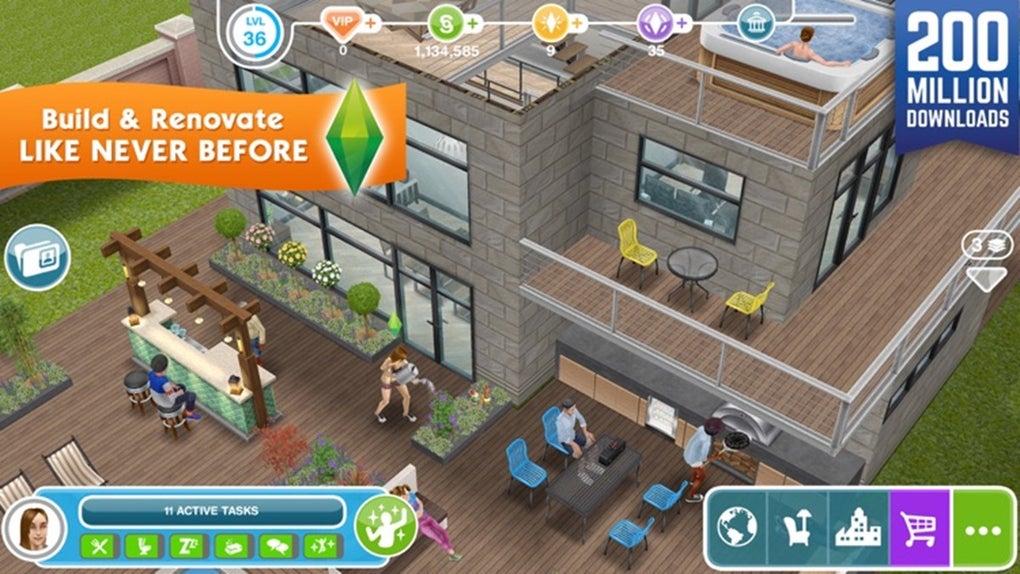
- Home and Town Building: Construct and decorate multi-story homes, add pools and special features, and expand your town with unique establishments.
- Community and Social Interaction: Visit friends’ towns, exchange gifts, compare designs, and participate in global events for exclusive rewards.
- Customization Depth: Access a wide range of furniture, clothing, and architectural styles to express individual design preferences.
- Progression System: Earn Simoleons through employment and business ventures, enabling further upgrades and expansions.
These features support both creative expression and strategic planning. For example, players can use home design skills to create themed residences, while managing careers and relationships helps unlock new storylines. The ability to interact with friends’ towns adds a collaborative layer, encouraging shared creativity.
While the game does not support multiplayer in real-time, the asynchronous social mechanics allow for ongoing engagement. The progression system, though slower than desktop versions, offers steady milestones and rewards for consistent play. Players can choose to accelerate progress via in-app options, though the core gameplay remains accessible without spending.
User Interface, Workflow & Performance
The user interface is structured around a central dashboard that displays key game elements: active Sims, current tasks, and available actions. Navigation is intuitive, with clearly labeled icons and a menu system that allows quick access to character management, building tools, and social features. The workflow follows a logical sequence: create a Sim, assign tasks, build or upgrade a home, manage relationships, and expand the town.
This structure supports efficient gameplay, especially for new users. The interface is optimized for touch controls, with responsive buttons and drag-and-drop functionality for furniture placement. Performance observations are based on general software behavior patterns, as specific performance data was not provided.
The game runs on both iOS and Android devices, and the installation size is 400 MB, suggesting moderate storage use. The developer did not specify resource usage details, so CPU and RAM behavior remain unknown. Stability appears consistent with similar mobile simulation games, though actual performance may vary depending on device capabilities.
Overall, the experience is smooth for casual users, with minimal lag reported in standard gameplay scenarios.
Compatibility & System Requirements
The Sims FreePlay is available for both iOS and Android operating systems. The current version is 1.1.10, released on May 15, 2024. The application requires 400 MB of storage space for installation.
Platform compatibility information is limited to the supported operating systems, with no additional hardware requirements specified. The developer did not provide exact system requirements, such as minimum RAM, processor speed, or graphics capabilities. Compatibility with older devices is not confirmed.
Users should ensure their device meets the general standards for running modern mobile games. The game does not support desktop platforms. For optimal performance, it is recommended to use a device with a stable internet connection, especially for social features and event participation.
The installation process is straightforward, with no known conflicts reported for supported platforms.
Pros and Cons
Pros
- Extensive character and home customization options
- Real-time life progression across all age stages
- Supports social interaction through friend visits and global events
- Free-to-play with no upfront cost
- Accessible on both iOS and Android devices
- Offers long-term engagement through progression and community building
Cons
- Graphics are less advanced compared to newer mobile simulation titles
- Interaction options are limited and repetitive
- Progression is slower than desktop versions of The Sims
- Limited system requirements information provided
- Progress can be accelerated through in-app purchases or ads
FAQ Section
Is The Sims FreePlay available for free?
Yes, The Sims FreePlay is free to download and play. The game operates on a free-to-play model with optional in-app purchases for accelerated progression or cosmetic items.
Can I play The Sims FreePlay offline?
The game requires an internet connection for full functionality, especially for social features like visiting friends’ towns and participating in global events. Some basic gameplay elements may work offline, but core features depend on online access.
What operating systems does The Sims FreePlay support?
The Sims FreePlay is compatible with iOS and Android devices. It is not available for desktop platforms such as Windows or Mac.
How often are updates released?
Updates are released periodically to improve performance, fix bugs, and introduce new content. The latest version, 1.1.10, was released on May 15, 2024.
Is the game secure to download and use?
As a widely distributed mobile game, The Sims FreePlay is available through official app stores. It is recommended to download the game from trusted sources such as the Apple App Store or Google Play Store to ensure security and authenticity.
Final Thoughts
The Sims FreePlay delivers a compelling mobile adaptation of the classic simulation franchise, offering deep customization, real-time life management, and social engagement. While its graphics and interaction depth may not match newer titles, the game excels in creative freedom and community-based gameplay. It is particularly well-suited for fans of the series who enjoy building and managing virtual lives on the go.
The free-to-play model ensures broad accessibility, and the inclusion of global events adds a dynamic layer to long-term play. For users seeking a portable, story-driven simulation experience with a strong social component, The Sims FreePlay stands out as a solid choice. Download The Sims FreePlay now.







